

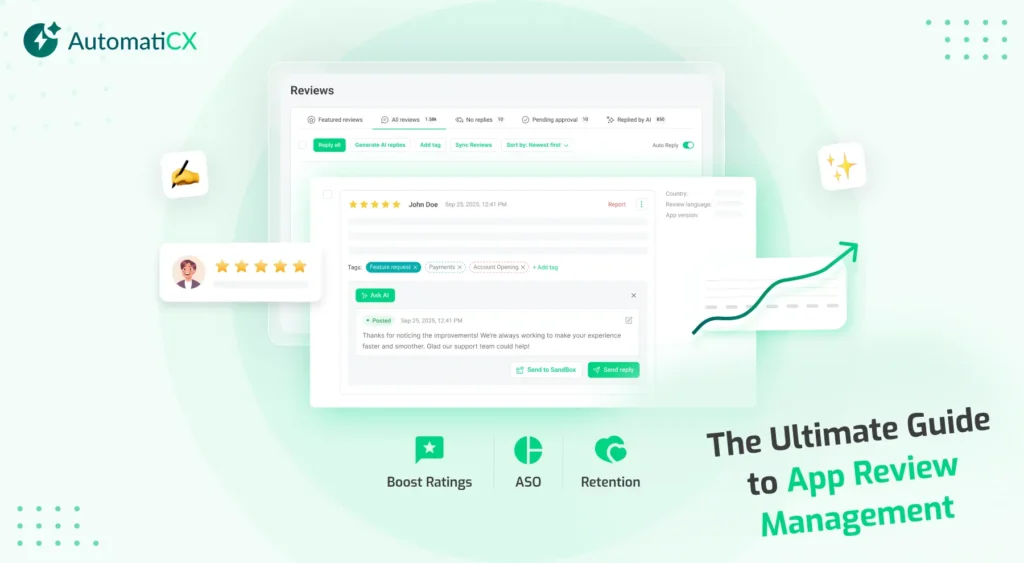
An app’s launch is only the beginning. The real battle for growth happens in the review section of the Apple App Store and Google Play Store.
With millions of apps competing for attention, user feedback is no longer just a metric for the support team; it is a core engine for discoverability, conversion, and retention. This comprehensive guide details how to turn user feedback into a competitive advantage.
1. Why App Review Management Matters for Modern Mobile Brands
Every day, users leave a digital paper trail of their experiences with your product. App Reputation Management is the strategic practice of monitoring, analyzing, and responding to this feedback to protect and elevate your brand’s digital standing.
When done right, app review management impacts three critical business areas:
- You can upgrade your rating from 3 stars to 4 stars. Users should have to trust the collective crowd, as this is the only way to win customer satisfaction.
- Acknowledging a bug report or feature request transforms frustrated downloaders into loyal, long-term active users.
- Reviews are an unedited, real-time focus group. They highlight exactly where your application shines and where it fails.
2. The Core Pillars of App Ratings Optimization
If you want to maintain the high percentage of scores, it requires constant watch. App Ratings is all about shifting from a passive approach to a systematic framework that motivates the users to speak about their honest experiences, and you can fix those negative reviews as well before they damage your reputation.
Timing Your Prompts Correctly
Asking for the view is the greatest mistake that user ask when developers finish the mobile apps. Instead of that, prompt users give value to the features after they get a successful purchase or a streak of active days.
Implementing Pre-Review In-App Loops
Before triggering the official system review prompt, use internal in-app feedback surveys. If a user indicates a 5-star experience, guide them to the app store. If they express frustration, route them directly to your internal support desk to resolve the issue privately.
3. Review Response Best Practices: Turning Critics into Fans
Responding to reviews is a public branding exercise. Potential users browse the review section to see how an engineering and support team handles criticism.
When developing your internal guidelines, ensure your team follows these foundational Review Response Best Practices:
- Avoid generic “Thank you for your feedback” templates. Mirror the specific terminology used by the reviewer to prove a human read their message.
- A swift response to a severe security or checkout bug can salvage a user relationship before they uninstall.
- Keep your tone helpful, professional, and consistent with the rest of your digital marketing channels, even when faced with aggressive feedback.
Managing Negative Reviews Successfully
When handling critical feedback, a systematic process ensures consistent quality and protects your brand image.
1. De-escalate and Empathize: Immediate Action.
Validate the user’s frustration immediately. Acknowledge the specific issue, whether it’s a frozen checkout page or a slow loading time, without getting defensive.
2. Isolate the Root Cause: Diagnosis.
Categorize the problem. Is it a known infrastructure bug, a UI/UX point of confusion, or an isolated device compatibility issue? Tag it internally for the engineering squad.
3. Offer a Clear Resolution Pathway: Actionable Support.
Provide a direct next step. If it requires account-specific troubleshooting, guide them securely to a dedicated support channel or ticket system rather than debugging in public view.
4. Follow Up Upon Fix Deployment: Closing the Loop.
Once the bug is patched in a new build, reply to the original review. Let the user know their feedback directly drove the fix, and politely invite them to re-evaluate their rating.
4. Scaling Support with AI Review Responses
As an app grows into millions of downloads, manual moderation becomes impossible. This is where AI Review Responses come into play. Modern machine learning models can read, categorize, and draft context-aware replies in seconds.
Using an AI Review Response Generator allows teams to automate responses to standard 5-star reviews (“Love this app!”) or common, well-documented queries. This frees up human support agents to focus their energy on high-touch, complex technical issues that require deep system investigation.
5. Review Analytics: Data Mining the App Stores
To extract strategic value from your feedback loop, you must transition from looking at individual messages to analyzing macro trends.
Automated Review Monitoring
Manual app store monitoring is inefficient. Utilizing an automated Review Monitoring Platform ensures your team receives instant notifications across both iOS and Android stores the moment a sudden influx of negative ratings occurs, serving as an early-warning system for platform outages or broken updates.
Sentiment Analysis
Advanced text analytics tools process raw text to extract user emotion. By running your feedback data through an App Sentiment Analysis Tool, you can isolate how specific features affect user satisfaction.
As shown above, visualizing data helps you identify exactly which features drive user delight and which ones generate friction, allowing you to prioritize development based on quantified user data.
6. App Review Management for ASO (App Store Optimization)
There is a direct correlation between how you manage your review ecosystem and your visibility in organic search. Guide to App Review Management for ASO Tools is a core component of a sustainable growth strategy.
-
Algorithm Weighting
- Both Apple and Google prioritize apps with high average star counts and consistent review velocity in their search algorithms.
-
Keyword Indexing
App store search crawlers index terms found within user reviews. When users naturally use phrases like “best budget tracker” or “easy photo editor,” it strengthens your organic keyword rankings for those exact search terms.
-
The Power of Response Keywords
Strategically weaving core target keywords into your developer responses can subtly assist your broader App Store Optimization (ASO) strategy.
7. Choosing Your Strategy: Infrastructure & Tooling
To execute this strategy seamlessly, manual copy-pasting into app consoles will only take you so far. Enterprise teams rely on a dedicated tech stack to centralize operations:
-
App Review Management Software
A centralized inbox that unifies reviews from all regions, localized stores, and operating systems into a single dashboard.
-
Automated Routing Systems
Tools that leverage natural language processing to tag incoming issues and assign technical bugs directly to developers while routing billing questions straight to customer success teams.
7. Streamline Your Ecosystem with AutomaticX AI
To execute this strategy seamlessly, manual copy-pasting into app consoles will only take you so far. Enterprise growth and support teams rely on a unified tech stack to centralize operations and remove structural friction.
If you are looking for a single platform that delivers all the features outlined in this guide, from advanced automated monitoring to intelligent response workflows, AutomaticX AI serves as the ultimate institutional toolkit.