

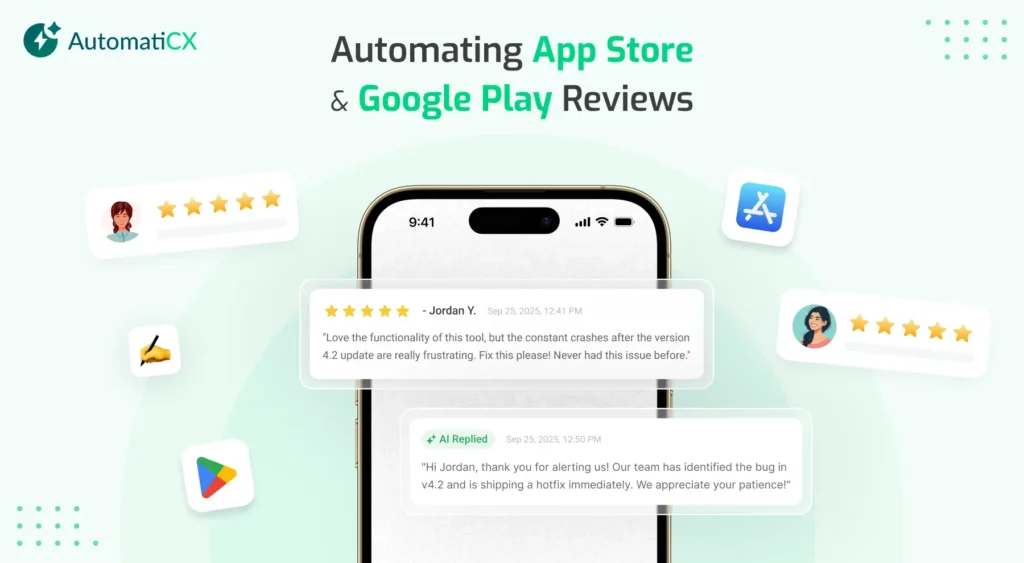
I have spent way too much time staring at the inside of App Store Connect, and honestly, it is exhausting.
If your mobile app has any real traction, you already know the feeling. You open your dashboard and find hundreds of new app reviews waiting for you. Some are nice 5-star compliments, which are great to see, but then you hit the angry 1-star rants about a bug from your latest update.
Trying to manage all of that feedback inside the default developer consoles is incredibly slow. Copying a review, running it through a translator, typing out a reply, translating it back, and hitting submit takes hours out of your week.
But you can not just ignore them. In the app world, App review responses directly affect whether people decide to download your app or uninstall it.
That is why more teams are turning to automation. In this guide, I will walk you through how app store review automation actually works, why it matters for your growth, and how to set it up without losing your brand’s personal touch.
1. The Hidden Impact of Reviews Responses on Your Store Success
Most app teams think of reviews as just another customer support chore. In my view, that is a massive mistake. App review management is arguably one of your most powerful marketing tool.
Take Google Play, for example. There is an interesting quirk in how their algorithm works. The keywords your users type into your reviews are actually scanned and indexed by Google. If a bunch of people write that your app is the “best budget flight tracker,” Google notices. You start ranking higher for that exact phrase. When you use a smart tool to respond with natural, helpful answers, you help reinforce those keyword signals.
Then there is the conversion side of things. Think about what you do before downloading a new app. You scroll down to the reviews. If you see a wall of unanswered complaints about bugs, you will probably leave. But if you see a developer who replies to every issue within minutes, you feel a lot safer hitting download.
2. What Exactly is Review Automation?
App review automation does not mean pasting the exact same generic template over and over again. We have all seen those robotic apps that reply to every single comment with something like: “Thank you for your feedback! Please email our support team.”
It looks lazy, it annoys users, and it can actually hurt your store reputation.
Real automation uses AI to read each individual review, figure out the mood of the user, and identify the exact problem, like a billing glitch or a login crash. From there, it writes a unique reply based on how your company prefers to talk.
You get unique, contextual responses instead of identical boilerplate text. Plus, instead of locking yourself inside App Store Connect all day, you can handle everything from your usual workspaces.
3. The Real Benefits of Letting AI Help
Switching to an automated setup gives your mobile team a few major advantages, starting with saving your marketing manager’s sanity. A dedicated growth lead can easily waste ten hours a week just typing out replies. Automation brings that time down to almost nothing for standard reviews, letting your team focus on better tasks like keyword research.
It also helps you keep your users from walking away. When someone runs into a crash and leaves an angry 1-star review, you have a very short window to fix it. If an automated system catches that review instantly and gives them the exact steps to fix the issue, they will often update their rating to a 4 or 5-star review. It feels like magic when it works, though obviously you still have to fix the actual bug eventually.
Finally, it turns text into useful data. Good platforms do not just reply, they look for patterns. If fifty people across three countries complain about a broken button after a fresh update, the system flags it so your engineers can deploy a fix before your overall rating drops.
4. How to Set Up Your Automation Workflow
So, how do you actually get this running without breaking anything? The process is pretty simple, and it usually takes just three main steps.
First, you need to securely connect your automation tool to your developer accounts using API keys through App Store Connect and the Google Play Console. Just make sure whatever platform you use follows standard data protection rules like GDPR.
Next, you have to teach the AI how you talk. You will want to set up a clear tone profile. If you run a mobile game, you probably want to sound fun and casual. If you run a banking app, you will want to keep things direct and professional. You can also give the AI specific action plans, like telling it to share a specific link whenever a user mentions needing a refund.
The catch is that you don’t have to automate everything right away. I think it’s smartest to start with some guardrails. For example, you can let the AI instantly reply to all 4 and 5-star reviews without human eyes, but route any 1-star reviews containing words like “broken” or “scam” to a team dashboard for a quick approval first.
5. Managing the Chaos with Chat and Helpdesk Tools
Nobody wants to log into five different portals just to see what users are saying. A great workflow brings the reviews directly to where your team is already hanging out.
If you set up a chat integration, reviews flow right into dedicated channels on Slack or Discord. When a new review arrives, a clean notification card pops up showing the text, the user’s location, and a pre-written AI draft. Your team can just click a single “Approve” button inside the chat app to push the response live.
For bigger teams with a formal customer support desk, you can pipe those reviews straight into Zendesk. The reviews are treated like regular support tickets, and the AI pre-fills the answer, allowing your support reps to close out issues in record time.
6. Going Global in Over 100 Languages
If your app is available worldwide, your biggest growth opportunities are usually outside your home country. But managing international reviews is a massive headache. I do not know about you, but my Japanese and Italian are a little rusty. Relying on basic web translators often leads to awkward phrasing that makes your brand look bad.
Smart automation fixes this by handling translation in the background. It detects the language instantly, translates it into English so your team can track what’s happening, and then writes a grammatically correct response in the user’s native tongue. This lets you scale globally without needing to hire native speakers for every single region.
7. Keeping the Human Touch
To make your users believe there is a real person listening on the other side, you have to avoid the classic signs of AI writing.
For starters, get rid of corporate jargon. Don’t let your tool say things like: “We have documented your submission and sent it to our engineering infrastructure department.” Instead, keep it simple: “Thanks for catching that! Our team is on it and working on a quick fix right now.”
You also want to vary sentence structures. Predictable AI text usually sounds very flat, like a robot repeating facts. Mix short, punchy statements with longer sentences to sound like a real person.
Finally, make sure the AI calls out specific details from the review. If a user praises your new dark mode, the reply should mention dark mode, not just say “thanks for liking our features.”
8. Common Mistakes to Watch Out For
Setting it and forgetting it
Do not just turn the tool on and walk away forever. It’s worth spending a few minutes every week checking your dashboard to review response quality and tweak your guidelines.
Ignoring major outages
If your servers go down and thousands of people start leaving 1-star reviews at the exact same time, pause the auto-replies. (Trust me, sending mismatched advice during a crisis will only make people angrier). Set up a single, unified status message instead.
Forgetting helpful links
An apology is nice, but a solution is better. Make sure your automated responses point users to your actual FAQ page or help desk whenever they need technical help.
Final Thoughts
You do not need to spend hours copying and pasting text inside clunky developer dashboards. Connect with your users instantly, protect your conversion rates, and keep your mobile growth team focused on building a great product.
If you're ready to see how automation can help your app grow
FAQ's
Will using AI to reply to reviews get my app banned?
Not at all. Both Apple and Google actually want you to respond to users quickly. As long as your answers are helpful, do not spam, and do not include weird links, your automated replies are completely safe and compliant.
Can the AI tell the difference between a real bug and user confusion?
Yes, it’s pretty good at it. The system scans the specific words people use. If someone writes “the app closes when I click save,” the tool knows it’s a software error and treats it differently than someone just asking how to find a button.
How fast do automated responses show up on the store pages?
The tool sends them instantly, but the catch is that Apple and Google have their own systems. It usually takes anywhere from a few minutes to a few hours for the stores to actually update and show your reply to the public.
What happens if a user changes their rating from 1 star to 5 stars?
The platform keeps an eye on updates. If a user changes their text or star rating, the system flags the change. You can then have it send a quick thank-you note or close out the support ticket automatically.
Can I make the AI match our exact brand voice?
Absolutely. You can plug your company’s specific rules, tone guidelines, and preferred links right into a tool like AutomatiCX. That way, every automated response sounds like it was written by a real member of your marketing team.