

You open your developer console on a Monday morning. There are fifty new user reviews staring right back at you.
Some people love the new update. Others are furious about a random glitch. A few are completely lost trying to figure out your billing page. And you have to reply to all of them. If you just ignore the comments, you are tanking your App Reputation Management. The app store algorithms will notice the drop in engagement, and your organic downloads will hit a brick wall.
But writing fifty unique, thoughtful replies from scratch? Nobody has time for that.
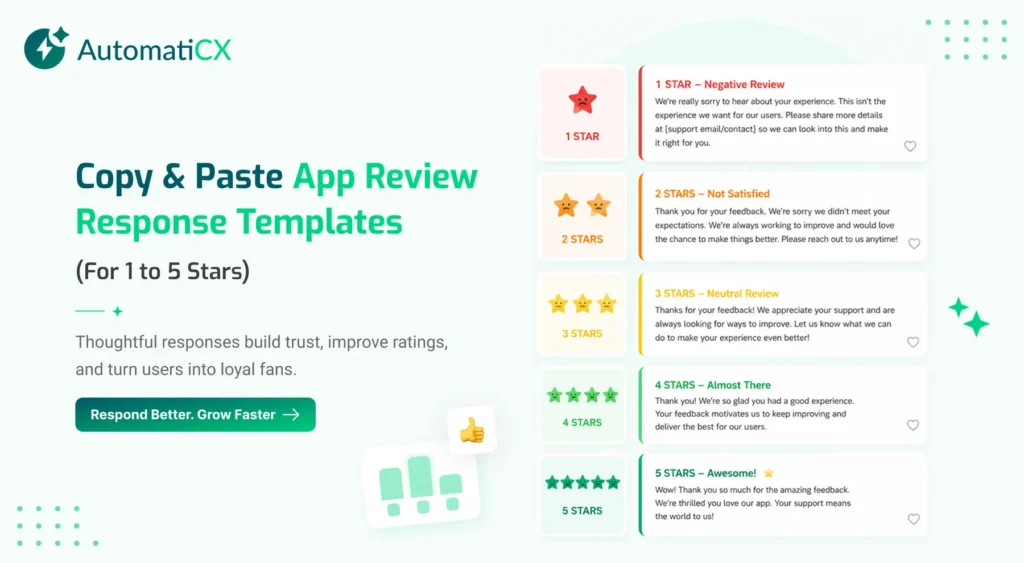
You need a shortcut. Having a solid swipe file of pre-written templates keeps your brand voice consistent and saves you hours of tedious typing. Here are the exact templates you can grab right now to handle any type of feedback thrown your way.
Templates for 5-Star Reviews
Don’t ignore the people giving you perfect scores. They just handed you free marketing on a silver platter. A quick reply turns a happy user into a hardcore brand fan.
Template 1: The Quick Thanks
“Hey [Name], thanks so much for the 5 stars! We love hearing that the app is working well for you. Give us a shout if you ever need anything.”
Template 2: Highlighting a Feature
“Hi [Name]! Thanks for the awesome review. We spent weeks building out the new [feature name] update, so it means a lot that you are enjoying it. Thanks for the support!”
Templates for 1-Star Bug Reports
When things break, users get loud. We talked about this exact dynamic in our guide on How to Handle Angry 1-Star App Reviews. You cannot argue with them. Apologize, validate the headache they are dealing with, and get the conversation over to email.
Template 1: The Known Issue
“Hey [Name], we are so sorry about this. You are completely right—[feature] is glitching right now. Our engineers are actually working on a patch as we speak. We should have an update out by tomorrow. Thanks for hanging in there with us!”
Template 2: The Unknown Bug
“Hi [Name]. We are really sorry the app keeps crashing on you. That is definitely not how this is supposed to work. Could you shoot us an email at [Support Email] with the type of phone you are using? We want to dig into this and get it fixed for you fast.”
Templates for Feature Requests
Power users love telling you what to build next. They will easily drop a 3-star review just to ask for a dark mode or a new dashboard widget. Acknowledge the idea, but do not make promises you can’t keep.
Template 1: On the Roadmap
“Hi [Name], thanks for the feedback! We actually have [feature] on our to-do list for later this year. We don’t have an exact release date yet, but it is definitely in the works.”
Template 2: Passing to the Team
“Hey [Name], that is a really cool idea. We do not have [feature] right now, but I am sending your note over to our product team to look at for our next update. Really appreciate you taking the time to share this!”
Templates for Billing and Paywall Complaints
Money makes people emotional. If someone feels tricked into a premium tier or cannot find the cancel button, they will leave reviews that scare away new users. Tread carefully here.
Template 1: Subscription Confusion
“Hi [Name], I am really sorry about the confusion with the premium tier. We definitely want our pricing to be clear. Please reach out to our billing team directly at [Support Email] so we can pull up your account and get this sorted out today.”
Template 2: Refund Requests
“Hello [Name], we are sorry the app was not what you were looking for. Since Apple/Google handles all the payments directly, we actually cannot issue refunds from our side. But you can easily request one right in your app store settings! If you need help finding that link, just email us at [Support Email].”
The Problem with Manual Templates
Keeping these templates in a text document is great when your app is small. If you are dealing with twenty reviews a week, this copy-and-paste routine works fine.
But what happens when a marketing push goes viral? What if you wake up to a thousand reviews?
The whole manual system falls apart. Your team physically cannot read, categorize, and reply fast enough. Plus, if you paste the exact same generic apology a hundred times in a row, it looks terrible. Users aren’t blind. They know when a company is just spamming a script, and it destroys whatever trust you were trying to build.
Automating the Heavy Lifting
To play at the highest level, you have to ditch the copy-and-paste routine entirely.
You don’t need a human to read every single basic review. By plugging your store listings into an AI Review Response Generator, the manual work vanishes. The system reads the review the second it goes live. It figures out why the user is mad or happy, and it writes a totally unique reply. It doesn’t use a script. It actually sounds human.
If you want to keep track of everything across both iOS and Android, you run it all through a central App Review Management platform. You get a clean dashboard instead of messy spreadsheets. The AI handles the repetitive stuff instantly, leaving your actual human support team free to handle the complicated billing issues or severe crashes.
Scale Your Support Today
App store algorithms crave consistency. You have to reply fast, and you have to do it every single day.
Swipe files are a great start, but automation is how you actually survive the scale as your user base grows. Stop wasting your morning copying and pasting apologies. Let the software handle the replies so you can get back to actually building your app.