

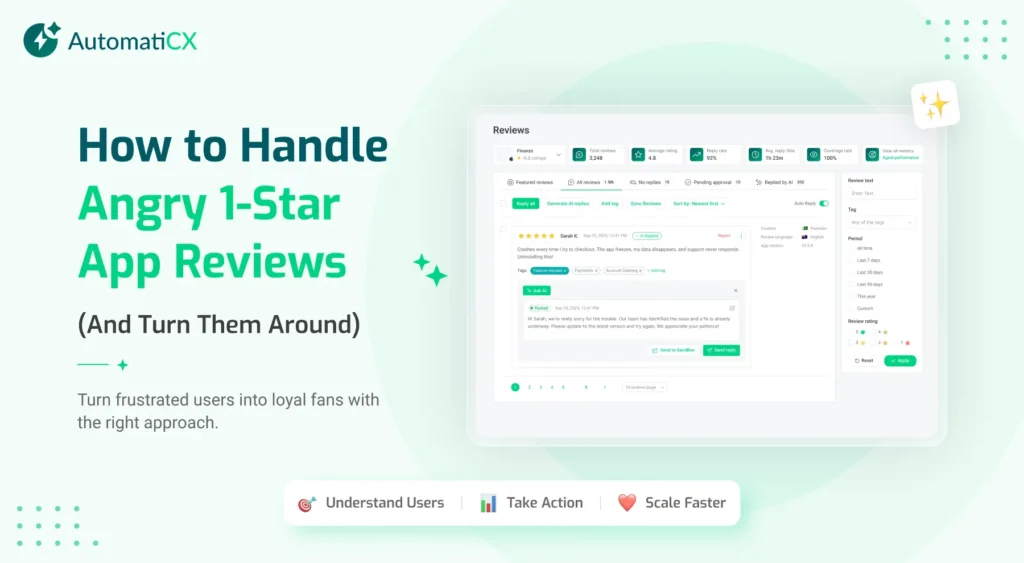
Every mobile app developer understands this all too well. After spending weeks coding a new feature, testing, and deploying the update, you wake up the next day to find the harsh 1-star app reviews staring right at the top of your developer console.
The user is furious. They say your application is completely broken. They say they are deleting it forever and telling all their friends to do the same.
When you see a review like this, your first instinct is usually defensive. You want to argue with them. Alternatively, you might just want to ignore the comment completely and hope it gets buried by positive ratings later in the week. Do not do either of those things.
Ignoring negative feedback is the absolute fastest way to kill your digital product. In the highly competitive world of mobile software, your public reputation is your most valuable asset. When new users visit your app store listing, they immediately scroll down to read the bad reviews. If they see angry comments with no response from the developer, they will simply download your competitor’s app instead.
However, a 1-star app reviews are not a permanent death sentence. It is an opportunity. If you handle the situation correctly you can actually turn an angry user into a loyal brand advocate. Here is exactly how to manage negative feedback and scale your overall Mobile App Growth.
The Hidden Cost of Ignoring Bad Ratings
Before we talk about how to fix the problem, you need to fully understand why leaving reviews unanswered is so dangerous. It is not just about bad public relations. It actually damages your business at a deep, structural level.
Never forget that bad reviews might destroy your conversion rates. People are always looking for reviews on the internet, and they believe even the fake reviews. If you failed to maintain the marvellous ratings, you are not going to get the maximum out of your paid campaigns.
If you do not address the user’s bad reviews, people consider it that you are not loyal to the customers and do not provide any value to the customers. If users are highlighting the potential issue and you are not addressing those issues on time, then you are going to get into big trouble. You need to view App Review Management as a core, non-negotiable piece of your App Reputation Management strategy.
The Mathematics of App Store Optimization
Beyond just conversion rates, negative reviews actively trigger algorithms to hide your application.
Both Apple and Google use incredibly complex formulas to decide which applications to feature in their search results. These algorithms heavily favor applications with high user and positive sentiment.
If your application is flooded with negative text and low star ratings, the search engines will bury you. You will lose all of your free organic traffic. If a user searches for a “budgeting tool” and your budgeting application has poor reviews, the algorithm will push you to page five of the search results. Nobody scrolls to page five.
Furthermore, the algorithms actually scan the text of the reviews to understand what your application does. If fifty people write, “This application crashes every time I open the camera,” the algorithm learns that your camera feature is broken, and it punishes your ranking accordingly.
Why Do Users Actually Leave 1-Star App Reviews?
Most users do not wake up with the intention of ruining your day. They leave bad reviews because they are deeply frustrated, and they feel like nobody at your company is listening to them.
1. The Technical Failure
The application crashes, the screen freezes, or a specific feature simply does not work. This is the most common reason for a low rating. The user is trying to accomplish a specific task, and your software is physically stopping them from doing it.
2. The Paywall Surprise
Users hate feeling tricked. If they download a free application only to discover that every single useful feature is locked behind a mandatory subscription, they will lash out in the review section. Transparency is entirely necessary here. If your product requires a subscription, make that obvious before they download it.
3. The Bad User Interface
Sometimes, the application works perfectly fine on a technical level but the design is so confusing that the user cannot figure out how to use it. They get lost in your menus and leave a bad rating out of pure frustration.
Once you understand exactly why the user is upset, you can formulate the perfect response.
The Four-Step Formula for Responding to Angry Users
Replying to an angry customer requires extreme patience and strategy. You cannot just copy and paste a generic corporate apology. You need to show them that a real human being is reading their complaint and taking action.
Follow this exact sequence every single time you respond to a negative rating.
Step 1: Reply with Total Speed
Time is your absolute biggest enemy when dealing with an angry user. If they report a massive crash and you wait three weeks to reply, they have already deleted your application and forgotten about you completely. You need to reply within twenty-four hours. Fast replies show the user that your team is active, attentive, and highly dedicated to fixing problems.
Step 2: Apologize and Validate Their Frustration
Do not argue with the user. Even if the user is completely wrong, arguing in a public forum makes your entire brand look terrible. Start your response with a genuine apology. Acknowledge their specific problem so they know you actually read the text.
For example, do not say, “We are sorry you had a bad experience with our product.” That sounds like a robot wrote it. Instead, say, “We are so sorry that the application froze while you were trying to upload your profile picture today.” This proves that you understand the exact problem.
Step 3: Explain the Fix or Take It Offline
If the user reported a known technical bug that your engineering team is already working on let them know the process. People respect transparency.
If the problem is highly specific to their personal account then moving the conversation out of the public eye immediately. Provide a direct email address to your support team so you can solve the financial or technical issue privately.
Step 4: Ask for the Rating Update
This is the most important step in the entire process, and almost every developer forgets to do it. Once you have successfully fixed the user’s problem then you can politely ask them to reconsider their public rating.
A simple message like, “We just released the new update that fixes your login issue. If the application is working better for you now, we would really appreciate it if you could update your star rating,” works wonders. Many users will happily change their rating to a 4-star or 5-star review if you treat them with ultimate respect.
The Challenge of Scaling Your Responses
The four-step formula works perfectly if you only get three or four bad reviews a week. It is easy to be human and personalized when your volume is low. However, what happens when your application goes viral?
What happens when you are getting five hundred reviews every single day?
Your team cannot possibly read, categorize, and respond to every single comment manually. If you try to do it all by hand, your customer support team will burn out immediately, and hundreds of complaints will slip through the cracks. This is exactly where manual systems completely break down.
To handle massive volume without losing the human touch you must implement AI Customer Feedback Analysis. You need a machine to do the heavy lifting for you so your humans can focus on the complex problems.
How Automation Changes the Game
Modern software teams use natural language processing algorithms to read their app store reviews instantly.
Instead of a human reading the raw text, an algorithm scans the incoming reviews the very second they are posted. The software automatically identifies the specific problem. It knows immediately if the user is complaining about a software bug, a confusing menu, or a billing issue.
The most important thing is that software can calculate the user behaviour. For instance, if he is angry, he is going to add it to the very top of the angry user queue. Your team will see the biggest fires first and allow you to put out before they spread across the internet.
If you face some of the most common questions, like forgetting passwords or any navigation questions, your system will generate a high response user review automatically. Your team only has to step in for the highly complex problems. This allows you to maintain a perfect response rate without hiring a massive army of support representatives.
Protect Your Brand and Build Better Software
Every single 1-star review is a free piece of user research. It is a direct message from your target audience telling you exactly how to improve your product.
If you ignore that vital feedback, you are simply handing your users over to your direct competitors. If you embrace the feedback you will build an incredibly loyal user base that will defend your brand for years.
If you want to protect your app store rating, stop guessing what your users want, and automate your entire reputation strategy from top to bottom, explore our intelligent software solutions at AutomatiCX Service Pages.